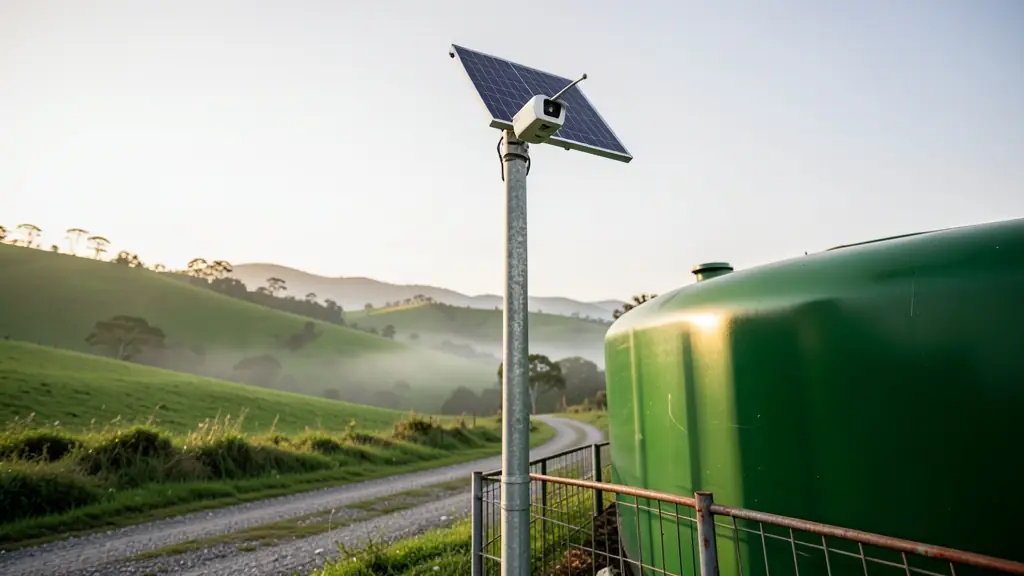
A 4G solar security camera in South Africa is the answer when the thing you need to watch sits where no cable, fibre line or router will ever reach: a diesel tank 800 m from the farmhouse, a site container in Ballito before the electrician arrives, a holiday cottage that stands empty for months. A SIM card carries the clips, a panel and battery keep it running, and the whole job lives or dies on two things: signal at the mount and data you can afford.
Test the signal where the camera will hang
The most common regret is a camera that shows one bar and drops clips every evening. Signal on your phone at the farmhouse says nothing about the far gate in a valley. Stand at the exact spot, ideally on a ladder at mounting height, and run a speed test on the network you plan to use. You want steady upload, not just bars. If two networks reach the farm, test both. Some cameras take an external antenna on a short cable, which can rescue a weak spot, and a supplier who has fitted in your district often knows which network holds up on that hill.
Security camera SIM card and the data it eats
The SIM must be registered in someone's name, like every SIM here, and it is worth putting it on a contract or a recurring bundle so the camera does not go dark when prepaid data expires on a Sunday night. With motion clips only, a camera usually uses a few GB a month. Live view is what burns it: half an hour of watching the gate after supper, every night, can use more than a month of clips. Work it out in the camera bandwidth calculator before choosing a bundle, and set the app to lower quality on live view.
A solar 4G camera through winter
The modem in a 4G camera draws power all day, so the panel has to be bigger than people expect, and June in the Drakensberg foothills gives far fewer useful sun hours than December. Size the panel and battery with the solar camera power calculator, face the panel north, keep it out of the shadow of the tank or a gum tree, and wipe the dust off after a dry spell. More on panels and batteries is on the solar security cameras page.
Keeping the camera and panel on the pole
- Mount high, out of reach from a bakkie roof, on a steel pole set in concrete (see poles and mounts).
- Use security screws and a cage or anti climb spikes on the pole.
- Put a second camera, or the same one, where it sees anyone touching the pole.
- Change the default password and keep the app on two phones, not one.
What to put in your request
- Say how far the spot is from the house
- Give your signal bars at that spot
- Say whether you want live view or clips
- Say if a pole is needed
- Mention any theft at that spot before
4G Security Cameras: who asks for them and why
- Freestanding houses: a camera on the far gate of a large plot where the house WiFi fades out
- Flats, townhouses and complexes: a camera on a new phase of the complex before the fibre is laid
- Shops, salons and restaurants: a roadside farm stall or a container shop with no fixed line at all
- Offices and practices: a temporary sales office on a new development watched from head office
- Warehouses, workshops and yards: a back fence or yard extension far beyond the reach of the network cable
- Farms and smallholdings: the diesel tank, the pump house and the cattle gate, all on solar and a SIM
- Schools, churches and clubs: a sports field or a borehole on a rural school's land with no network
- Building and temporary sites: a container and the copper store watched from the first day, before any power