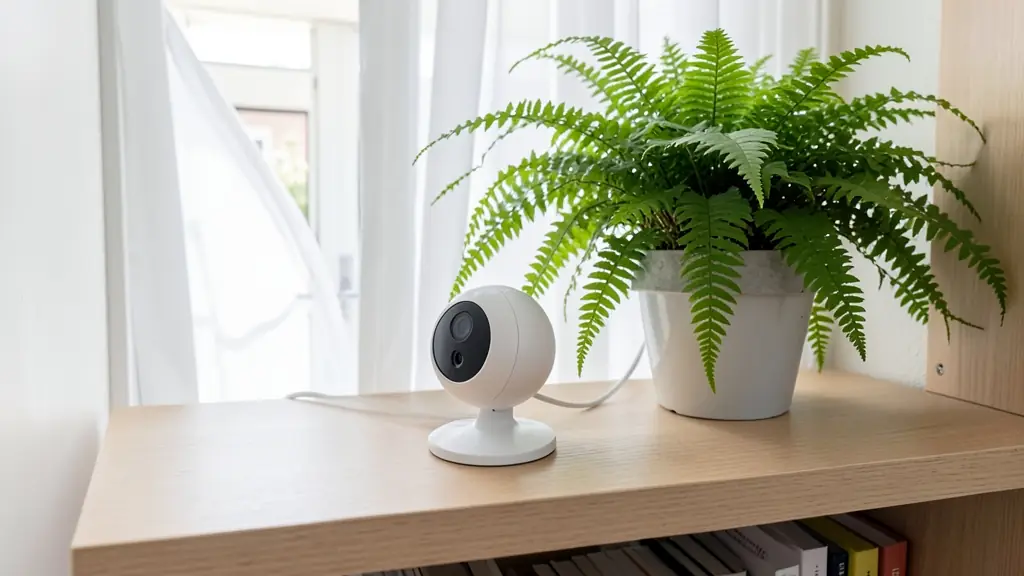
An indoor security camera answers different questions from the ones outside: did someone come in through the kitchen window, is the dog chewing the couch, who opened the till at 4 pm. Most are small, plug into a wall socket and sit on a shelf or screw to a ceiling, which makes them a favourite for tenants who cannot drill. The harder part is privacy: who lives and works in the space, and what they agree to.
Shelf, ceiling or pan and tilt
- A small security camera for home on a shelf: no drilling, easy to move, but easy to knock over or unplug. Good for a flat or a lounge.
- A ceiling dome: out of reach, sees the whole passage or shop floor. Needs a cable run in the roof or along trunking.
- Pan and tilt: one camera that turns to look at the door, the lounge or the kitchen from your phone. While it looks one way, it misses the other.
Point it at the routes in, such as the passage from the back door, rather than at the TV.
Inside a shop: the till, the aisle and the stock room
A pharmacy or a spaza wants a camera above and slightly behind the till so it sees the hands, the cash drawer and the counter, and a second one on the door so every face is caught coming in. A wide 2.8 mm lens on a low ceiling covers a small shop floor. Stock rooms often need their own camera because that is where losses actually happen. For a full business layout see business security cameras.
Wifi camera indoor setups and their weak spots
Most indoor cameras join the WiFi and record to a microSD card or the cloud. Check the signal in the room it will live in, change the default password and turn on two step login in the camera's app. When load shedding cuts the router, the camera goes quiet too, so a small UPS on the router and fibre box keeps it online. For more on signal and accounts, read wifi cameras.
Privacy: people who live and work there
Bedrooms and bathrooms are off limits, for family, guests and staff alike. A domestic worker, a nanny or shop staff should be told where the cameras are and why. A business recording people falls under POPIA, so a sign, a clear reason and limits on who views the footage are expected; check with the installer how to set that up. Many indoor cameras have a privacy mode that turns the lens away when you are home. Recording sound adds legal risk, so most people leave the microphone off.
What to put in your request
- Say which rooms or areas to watch
- Say if you rent and cannot drill
- Mention pets and how big they are
- Say whether staff work in the space
- Ask whether it records to a card, cloud or recorder
Indoor Security Cameras: who asks for them and why
- Freestanding houses: a camera on the passage from the kitchen door and one in the lounge, never the bedrooms
- Flats, townhouses and complexes: a shelf camera in a rented unit that leaves no holes when the lease ends
- Shops, salons and restaurants: a dome above the till, one on the door and one in the stock room
- Offices and practices: a ceiling dome over the front desk and another by the network cabinet, both on a staff notice
- Warehouses, workshops and yards: domes on the dispatch counter and the cage where small, valuable stock is kept
- Farms and smallholdings: a camera in the farm office and the store where the chemicals and tools are kept
- Schools, churches and clubs: cameras in the foyer and the computer lab, with the governing body's approval
- Building and temporary sites: a camera inside the site office and the locked tool room in the container
Frequently asked questions
Will my pets set off the motion alerts?
Is two way talk worth having on a security camera indoor?
How much storage does one indoor camera need?
Who will price my indoor cameras?
Work it out first
- Camera storage calculatorCameras, resolution, codec, hours and days in: the hard drive in TB and the days it keeps out
- Camera bandwidth calculatorCameras, quality and how much you watch in: upload Mbps for remote viewing and GB a month for 4G out
- Lens field of view calculatorLens mm, sensor, resolution and distance in: picture width, pixels per metre and DORI level out