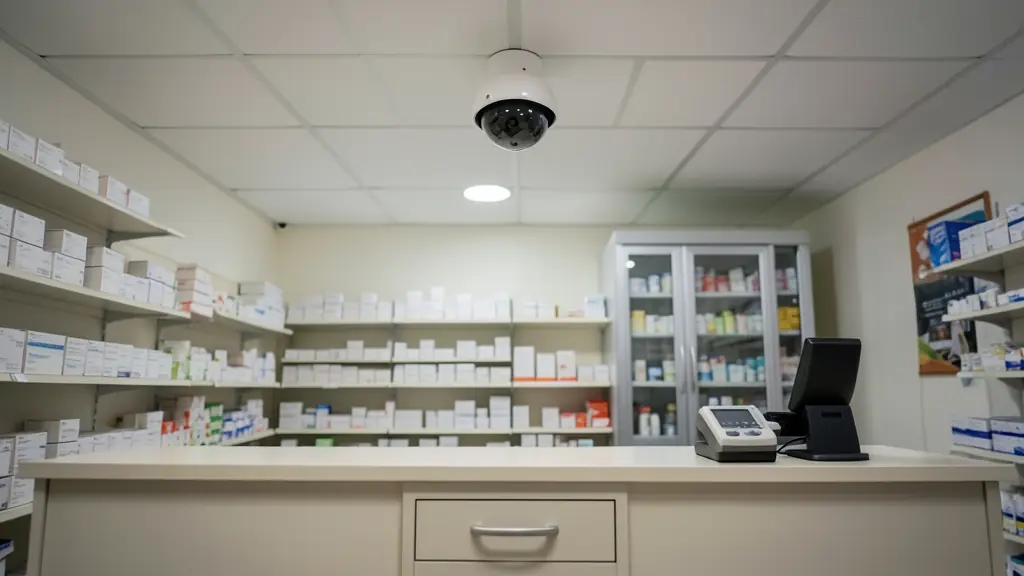
A security camera system in South Africa looks different once there is a till, staff and stock involved. A home owner wants to see the gate. A business owner wants to know which shift the stock went missing on, whether the delivery was short, and what really happened at the counter when a customer complains. That means cameras placed for evidence, footage kept for a set time and clear rules on who may watch it.
Where the cameras go in common businesses
- Shops and spazas: the till from above and slightly behind, so you see the cash and the hands, plus the entrance at face height and the back door.
- Pharmacies: the dispensary, the scheduled medicine cupboard and the counter.
- Restaurants: the cash point, the kitchen door, the storeroom and the bins where stock leaves.
- Warehouses: each loading bay, the yard gate for number plates, and the aisles of high value stock.
- Offices: reception, the server room and the parking area after hours.
POPIA, signs and your staff
Footage of people is personal information, and POPIA applies to what a business records. In practice that means a sign at the entrance saying cameras are in use, a stated reason such as safety and loss prevention, and limits on who sees and keeps the recordings. Tell staff in writing where the cameras are and why. Change rooms and toilets stay off camera. Most installers leave audio off. For anything specific to your trade, get advice from someone qualified.
Footage you can actually use
Decide how long to keep recordings, often a few weeks, and size the drive for it with the camera storage calculator. Business grade IP cameras with person and vehicle detection let you search a day for "people at the back door after 18:00" instead of scrolling. Some can count visitors or flag someone loitering. Put the recorder in a locked cabinet on a UPS, so a thief cannot walk out with the evidence or wait for load shedding.
Several branches, one view
A franchise owner with three outlets can see each one on a single app, with separate logins for each branch manager. That needs decent upload speed at every site: check it with the bandwidth calculator. Keep the cameras on their own network, away from the card machines and staff WiFi, and make sure the admin password belongs to the business, not to whoever installed it.
What to put in your request
- Say the type of business and its trading hours
- List tills, doors, stock rooms and bays
- Say how many days of footage to keep
- Mention other branches to view on one app
- Ask for separate user logins per manager
Business Security Cameras: who asks for them and why
- Freestanding houses: a home office or guest house that needs a sign and a clear reason for each camera
- Flats, townhouses and complexes: a managing agent covering the guardhouse, visitor parking and refuse area for the trustees
- Shops, salons and restaurants: a spaza or pharmacy watching the till, the stock room and the back door
- Offices and practices: a practice covering reception and the server room, with staff told in writing
- Warehouses, workshops and yards: cameras on every loading bay and a plate camera at the yard gate
- Farms and smallholdings: a packhouse or farm stall with cameras on the scales, the cash point and stock
- Schools, churches and clubs: a school office and tuck shop with footage limited to the principal and bursar
- Building and temporary sites: a contractor's yard recording deliveries so short loads can be checked against slips