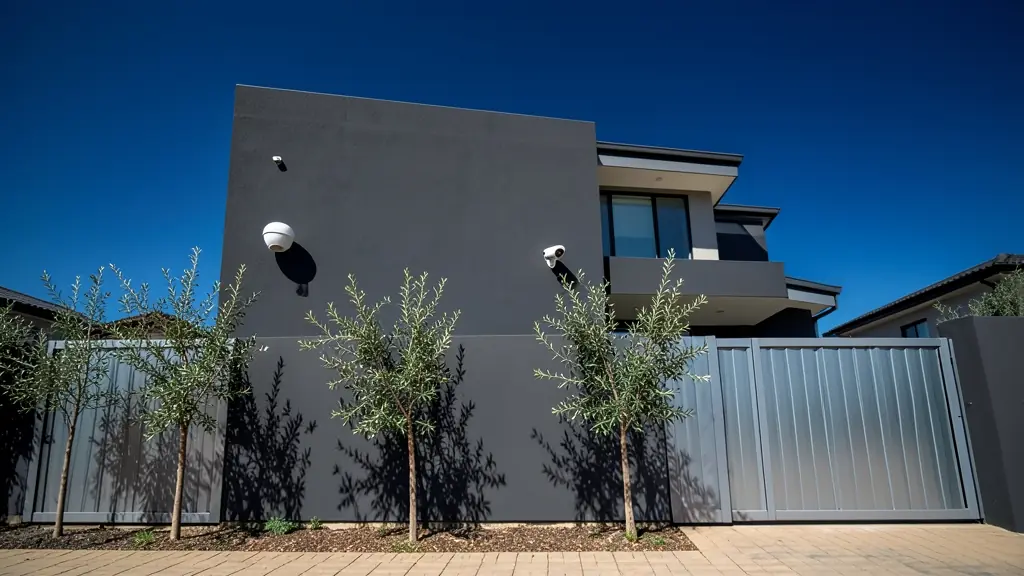
A security camera is only as useful as the picture it gives you on the night something happens. Before you look at models, decide what each camera must show: a face at the pedestrian gate, a number plate in the driveway, the whole back yard, the till. Then choose how the cameras connect, record and get power. This page walks through those choices for a house, a flat or a small business.
Start with the subject and the distance
Stand where the camera will go and look at the spot you care about. A face at 4 metres and a face at 12 metres need very different lenses. A 2.8 mm lens sees wide, about 100 degrees, and suits a patio or a shop floor. A 6 mm or longer lens sees narrower and further, which is what a gate or a long driveway needs. More megapixels will not rescue a wide lens pointed at a far gate: the face is still a smudge. Put your distances into the lens and field of view calculator before anyone quotes.
The four big choices
- Wired system or WiFi: cabled cameras on a recorder are steadier; WiFi is quicker to fit but lives on your signal. See security camera systems and WiFi cameras.
- Recorder or cloud: a recorder keeps weeks of footage at home; cloud storage sends clips to a server elsewhere on a monthly subscription.
- Fitted or DIY: an installer handles ladders, cable and setup; DIY suits a shelf camera or a small kit.
- Mains or battery and solar: mains is simplest; battery cameras and solar suit places with no plug point.
Where the first home security cameras go
On a typical suburban house, start with the driveway gate, the front door or pedestrian gate, the side passage and the back yard. That is four cameras, and most homes end up with about 4 to 8. A small shop usually needs 3 to 6: the door, the till, the aisles and the back door. The how many cameras calculator counts your gates, doors and sides and suggests the recorder channels.
Budget, and the mistakes installers see weekly
Fitted cameras are usually priced per camera supplied and installed, with cable, the recorder and the drive on top. Our security camera cost calculator gives a rough range. The common mistakes:
- A camera facing east that is blinded by the rising sun every morning.
- The default password left on the recorder.
- No UPS, so load shedding switches everything off.
- Nobody checks the alerts, so the footage only tells the story afterwards.
What to put in your request
- Say what each camera must show
- Give rough distances to the gate and doors
- Send photos of the walls and eaves
- Say whether you want a recorder or cloud
- Mention load shedding and your inverter
Security Cameras: who asks for them and why
- Freestanding houses: a camera on the driveway gate, the front door, the side passage and the back yard
- Flats, townhouses and complexes: one or two cameras on a townhouse patio and the parking bay, within body corporate rules
- Shops, salons and restaurants: cameras over the till, the front door and the back door where stock walks out
- Offices and practices: reception, the front entrance and the server cupboard, recorded after hours
- Warehouses, workshops and yards: the loading bay, the yard gate and the long fence line facing the road
- Farms and smallholdings: the farmhouse gate, the workshop and the diesel tank, with solar where cable cannot reach
- Schools, churches and clubs: the main gate at drop off, the hall entrance and the path to the sports field
- Building and temporary sites: the steel container, the material yard and the site gate, on solar and 4G