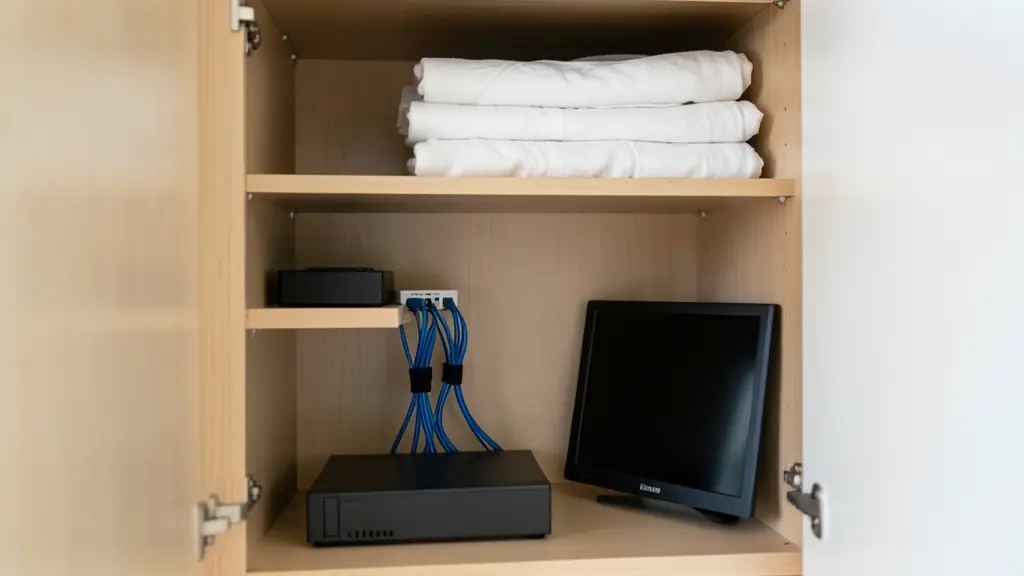
An NVR, or network video recorder, is the box that stores what your IP cameras see and lets you play it back on a phone or a screen. It is the part of a camera system people think about last and miss most when it fails. Choosing one means counting channels, picking the right hard drive, setting how it records and deciding where to hide it, so that a burglar cannot carry off the recorder and every frame of the break in along with it.
NVR versus DVR
A DVR records analogue and HD over coax cameras, each on its own coax cable to the box. An NVR records IP cameras over network cable, often powering them through PoE ports on the back. Many DVRs now accept a few IP cameras too, and a few NVRs can be fed by a separate switch. If you are keeping old coax, read CCTV cameras; if you are starting fresh, read IP cameras.
Channels, PoE ports and drive bays
- Channels: the usual sizes are 4, 8, 16 or 32 cameras. Buy one size up from today's count, so the back gate can join next year.
- PoE ports: an 8 channel NVR with 8 PoE ports powers every camera from one box. Without them you need a PoE switch.
- Drive bays: one bay is fine for a house; two or more let a business keep a month or longer.
- Decoding: check it can play back every camera at full resolution, especially 4K.
Surveillance drives and how long footage lasts
A recorder writes all day and night, which wears out a desktop drive taken from an old computer. A surveillance hard drive is built for that work. Picture a house with four 4 MP cameras writing around the clock: on 2 TB it tends to hold two to four weeks before overwriting, longer on motion only. Some owners record continuously by night and on motion by day. Size yours with the camera storage calculator.
Power cuts, remote viewing and hiding the box
Load shedding switches off a recorder exactly when people test fences. A UPS behind the NVR and switch keeps them alive; check the runtime in the PoE power budget calculator. For phone viewing the NVR needs a stable router and a changed default password, plus firmware updates. Then hide it: a locked cupboard, a ceiling void with ventilation, or a steel box, never on the lounge TV stand.
What to put in your request
- Say how many cameras and of what type
- Give the resolution of the cameras
- Say how many days of footage you want
- Mention whether you have a UPS or inverter
- Say where the recorder can be hidden
NVR and DVR Recorders: who asks for them and why
- Freestanding houses: an 8 channel PoE recorder in the main bedroom cupboard, on the same UPS as the router
- Flats, townhouses and complexes: a 16 channel unit in the guardhouse replacing a tired DVR, with access only for trustees
- Shops, salons and restaurants: a recorder locked in the back office that keeps footage long enough to answer a dispute
- Offices and practices: a rack mounted NVR in the server room with two drives and staff logins kept limited
- Warehouses, workshops and yards: a 32 channel recorder with several drives to keep weeks of footage from every bay
- Farms and smallholdings: an NVR in the farmhouse fed by wireless links from the sheds and the far gate
- Schools, churches and clubs: a recorder in the admin block with viewing rights only for the principal and one staff member
- Building and temporary sites: a small NVR in a locked steel box inside the container, powered by solar and a battery