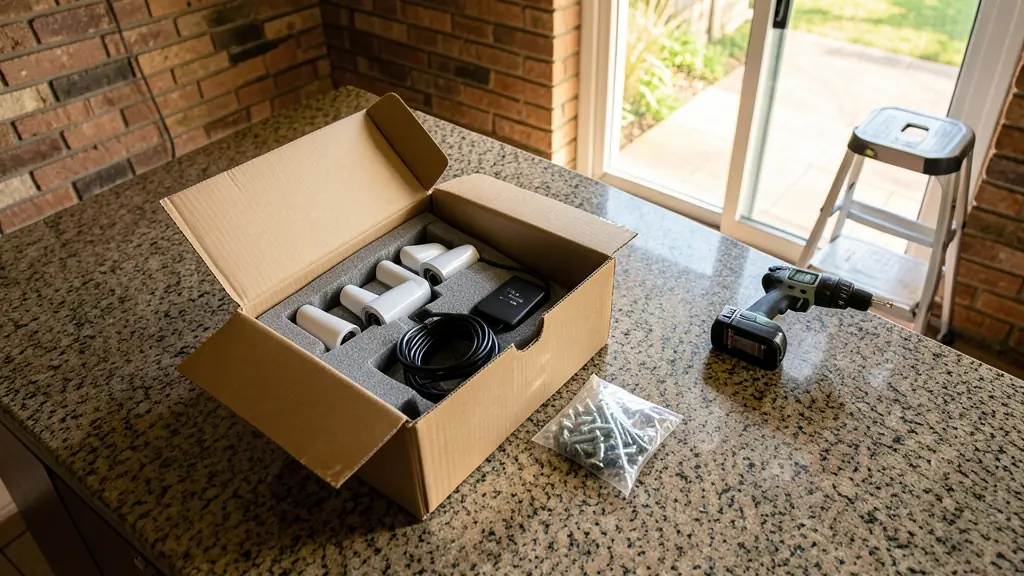
Wireless security camera kits look complete on the shelf: four or eight cameras, a recorder, some leads and a mouse in one box. Then the box is open: the leads reach the lounge but not the back corner of the yard, the drive bay is empty, and each "wireless" camera still wants a plug point. Here are the gaps to know before you pay.
What is in the box, and what often is not
Expect the cameras, a 4 or 8 channel recorder, a power supply or PoE ports, a router lead, screws and plugs. Often missing:
- The hard drive. With an empty bay you see live video and record nothing.
- Enough cable. Pre made leads of about 20 m rarely reach the back wall by the route a cable must take.
- A screen for setup, unless the app does it all.
- Junction boxes for the outside joins.
Wired kits versus a wireless CCTV camera kit
A wired kit runs one cable from each camera back to the recorder, which powers the camera and takes its video. It is steadier for a gate that must record all day. A wireless kit sends video over the air to its own recorder, so there is no cable back, but every camera still needs mains power close by. The signal fades through double brick, so a camera behind the garage may need a repeater or a cable. WiFi cameras explains why signal at the camera decides it.
Who a kit suits, and the weak spots
A kit fits a home with four to six spots, a small shop or a site office with someone handy with a drill. It struggles on a long farm driveway or wherever a face at 15 m must be readable. Look out for:
- Fixed wide lenses: fine for a patio, no good for a plate at the gate. Test the distance in the lens calculator.
- Small IR that lights the first few metres and leaves the lawn black.
- Thin power leads that sag, so the camera reboots when the IR switches on.
Adding cameras later: the 8 channel CCTV camera kit
Buy one size up. Four cameras soon become five once the back door matters, and a 4 channel recorder has no spare input. Paying a little more for eight inputs now saves a second recorder later. Before mixing in other cameras, ask whether the recorder accepts ONVIF cameras from other makers or only its own. Count your points with the how many cameras calculator and size the drive in the storage calculator. Bigger setups belong on NVR recorders.
What to put in your request
- Say how many spots you want to watch
- Measure the furthest camera from the recorder
- Say supply only or supply and fit
- Say wired or wireless, and where the WiFi is
- Mention any old cameras to replace
Security Camera Kits: who asks for them and why
- Freestanding houses: a four camera kit for the gate, front door, driveway and back yard, fitted over a weekend
- Flats, townhouses and complexes: a small kit for a townhouse patio and parking bay, cleared with the body corporate first
- Shops, salons and restaurants: a kit on the till, the door and the stockroom, with the recorder locked in the office
- Offices and practices: a four channel kit covering reception and the back entrance of a small practice
- Warehouses, workshops and yards: a starter kit for the office end, with longer runs to the loading bay quoted separately
- Farms and smallholdings: a kit for the house and workshop, leaving the far gate to a solar camera
- Schools, churches and clubs: a kit for a creche gate and hall, with play areas planned with the governing body
- Building and temporary sites: a wireless kit in the site office and container, packed up and moved to the next job