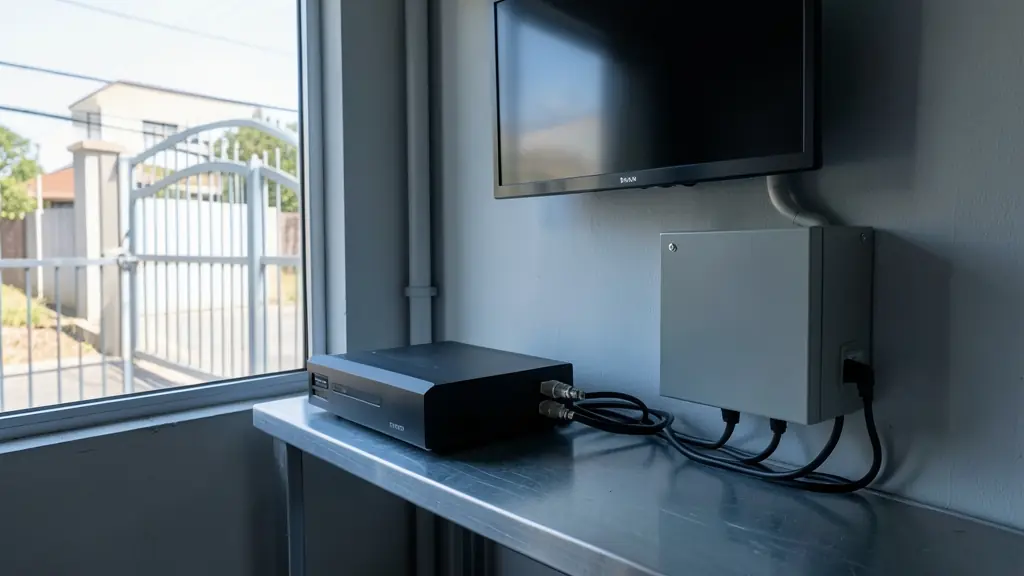
Ask a supplier for security cameras and a CCTV camera usually means one that sends its picture down a coax cable to a DVR. The old ones gave a fuzzy picture; today's HD over coax cameras give 2 MP to 8 MP on the same kind of cable. That matters most where coax is already in the walls, like a Midrand complex with twelve tired analogue cameras and a DVR that keeps beeping.
Why so many HD over coax systems still go in
A coax camera is simple: it does nothing clever on a network, it just sends video to the recorder. That makes it quick to fit, easy to fault find and often cheaper per camera. Installers still choose it for small homes, shops and tight budgets, and above all where coax already runs through the roof. The trade off: fewer smart features, and a DVR less flexible than an NVR.
Upgrading old analogue cameras on the same coax
The body corporate in that Midrand complex does not have to rip out twelve cable runs. Usually the installer:
- Tests each run, since old coax in a wet gutter corrodes.
- Cuts back and refits the BNC plugs, which is where most faults live.
- Fits HD cameras in a format the new DVR reads; most current DVRs read several HD over coax formats and old analogue too.
- Swaps the tired 12 V supply box, since weak power causes rolling lines and dead IR after dark.
The cable stays; the cameras, the DVR and the power supplies change.
Siamese RG59, power over coax, and where Cat6 wins
Most coax jobs use siamese RG59: a coax core for video with a pair of power wires moulded alongside, so one run carries both. Some newer cameras take power over coax, where the DVR feeds power through the coax itself and no separate supply is needed. Cat6 wins when you want person and vehicle detection in the camera, 4K detail, or a system that grows into a network. See IP cameras for that side.
Buying a CCTV camera for sale with the recorder in mind
Before you buy a CCTV camera for sale, check that its HD format and resolution suit the DVR, that the DVR has a free channel (they come in 4, 8, 16 and 32), and that the hard drive can hold the extra camera; the camera storage calculator shows how many days you will keep. The types of CCTV camera are the familiar shapes: dome, bullet and turret, with fixed or varifocal lenses.
What to put in your request
- Say how many old cameras there are
- Say whether the coax runs still work
- Give the DVR's age and channel count
- Say how many days of footage to keep
- Mention any cameras you want to add
CCTV Cameras: who asks for them and why
- Freestanding houses: new HD cameras on the coax already in the roof, and a fresh DVR
- Flats, townhouses and complexes: twelve analogue cameras swapped for HD on the old cable, guardhouse DVR replaced
- Shops, salons and restaurants: a budget DVR with four coax cameras covering the counter and back entrance
- Offices and practices: reception and parking on HD over coax where the building already has cable
- Warehouses, workshops and yards: long coax runs to the fence and loading bays, recorded on a 16 channel DVR
- Farms and smallholdings: coax from the house to the shed and kraal, with power supplies sized for distance
- Schools, churches and clubs: upgrading old hall and gate cameras without pulling new cable through ceilings
- Building and temporary sites: seldom, since coax suits a fixed yard more than a site that moves on
Frequently asked questions
Is a CCTV camera for home still worth buying?
Can I plug an IP camera into my DVR?
Why does my coax picture roll or go black at night?
Who quotes on a coax upgrade?
Work it out first
- Camera storage calculatorCameras, resolution, codec, hours and days in: the hard drive in TB and the days it keeps out
- Camera bandwidth calculatorCameras, quality and how much you watch in: upload Mbps for remote viewing and GB a month for 4G out
- Lens field of view calculatorLens mm, sensor, resolution and distance in: picture width, pixels per metre and DORI level out